Warehouse Packing Station Optimization: How to Remove Friction Before Carrier Cutoff
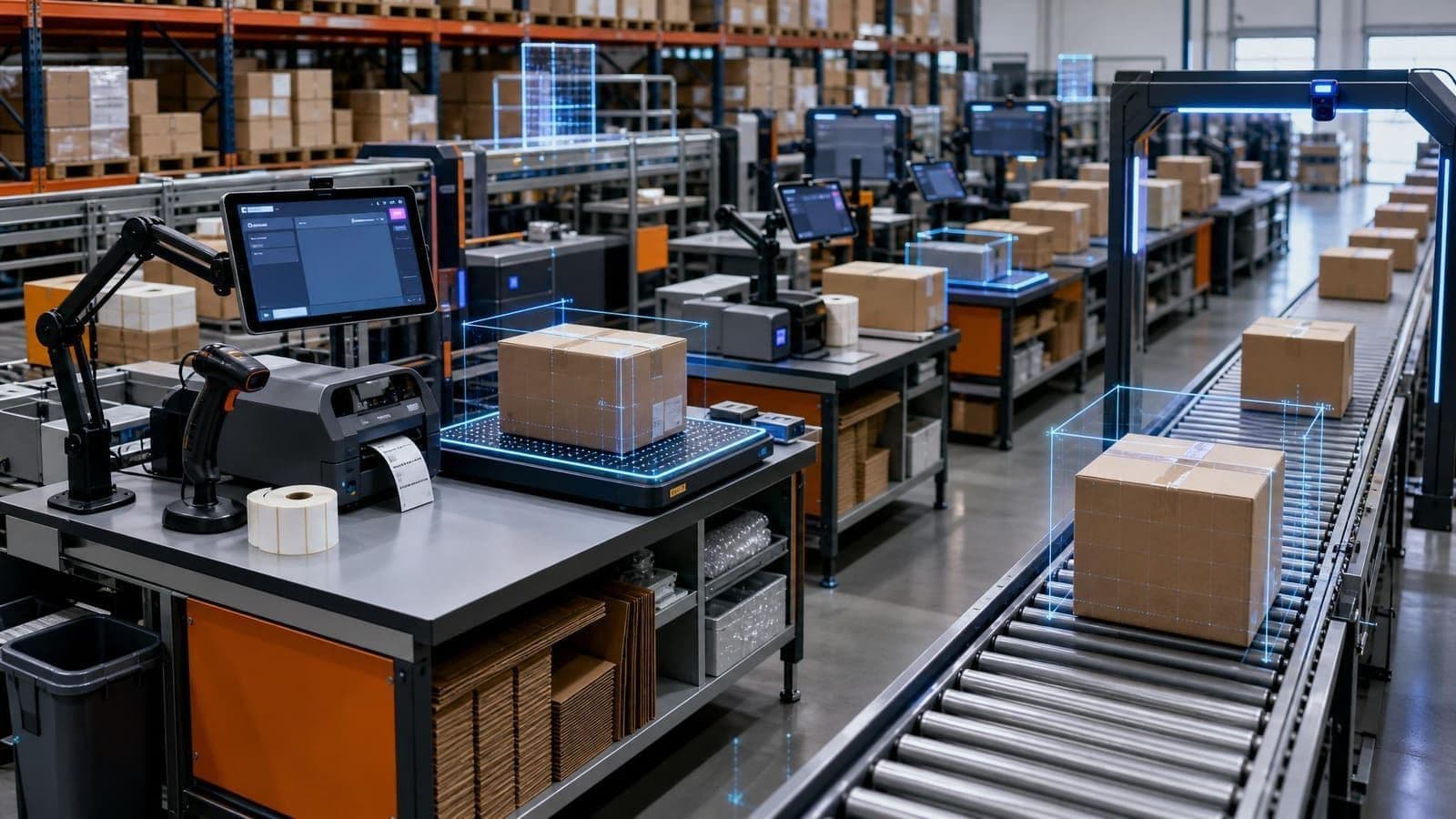
Warehouse packing station optimization is where outbound discipline either holds or breaks under carrier cutoff pressure.
Picking may finish on time. Replenishment may keep the pick face full. The shipping plan may look clean at noon. But if packers are hunting for cartons, reprinting labels, walking to get void fill, waiting on supervisor approvals, or fixing order exceptions at the same table where clean work should flow, the operation still misses the truck.
The packing station is not just a table. It is a control point where order accuracy, packaging cost, labor productivity, carrier compliance, customer experience, and shipping data all meet. Small delays at each station multiply quickly when volume peaks.
A better pack-out process removes friction before the shift gets loud. It designs the station around the sequence of work, keeps supplies ready, separates exceptions from clean orders, and uses daily metrics to see where the next improvement should happen.
Start warehouse packing station optimization by mapping the actual work
Many packing areas are designed around equipment, not work. A printer goes wherever there is power. Cartons go where there is empty space. Labels, scanners, tape, dunnage, inserts, and paperwork are added over time until each station becomes a local improvisation.
Before changing the layout, map the work that happens at the station:
- Order verification: scan tote, order, item, carton, license plate, or shipment ID
- Product check: confirm quantity, item condition, lot, serial, kitting, or special handling requirement
- Carton choice: choose the appropriate carton, mailer, pallet, or pack method
- Protection: add dunnage, cold-chain material, hazmat documents, retail inserts, or branded material
- Measurement and weight: capture dimensions and weight when needed for rating, audit, customer billing, or shipment proof
- Labeling: print and apply carrier labels, compliance labels, return labels, or customer documents
- Closeout: confirm shipment, route to manifest, move to sortation, or stage by carrier and service level
- Exception handling: resolve damage, short picks, substitutions, address issues, overweight packages, or system mismatches
Once the work is visible, the waste becomes easier to spot. A packer who turns around for every label, walks ten steps for large cartons, shares one scanner, or waits at the printer after every order is not working slowly. The station is making the work slow.
Design the packing station around reach, sequence, and decision points
A good packing station should support the natural order of the job. The packer should not have to cross their own path, move clean orders past unresolved exceptions, or leave the station for routine supplies.
Start with three layout rules.
First, keep high-frequency items inside the normal reach zone. Scanners, tape, labels, the most common cartons, dunnage, and the printer should be reachable without walking. Less common materials can sit nearby, but the top 20% of supplies should not require a trip.
Second, place tools in process sequence. If the packer scans, verifies, packs, weighs, labels, and sends the order to a conveyor, the station should support that flow from left to right or right to left. Avoid layouts where completed cartons must move backward across open orders.
Third, separate clean flow from problem flow. An order waiting for address correction, missing inventory, damage review, or supervisor approval should not sit in the same space where the next ten clean orders need to be packed. Give exceptions a marked location, a reason code, and an owner.
For higher-volume operations, standardize station design across the area. A packer moving from station 3 to station 7 should not need to relearn where labels, inserts, batteries, or printer media live. Standard work reduces training time and makes performance differences easier to diagnose.
Control supplies before the shift, not during the rush
Packing productivity often collapses for simple reasons: tape runs out, labels jam, the right carton is missing, printer media is low, scanner batteries die, or void fill is stored across the aisle.
Those problems feel small until they hit during the last two hours before carrier pickup.
Build a pre-shift supply check that includes:
- carton counts by commonly used size and pack method
- label rolls, thermal printer media, ribbon if used, and return labels
- tape, dunnage, mailers, inserts, document pouches, and special handling labels
- scanner batteries, charging stations, scales, printers, and tablets
- trash, recycling, damaged-material bins, and empty pallet or tote removal
- carrier-specific forms, hazmat documents, customs paperwork, or retail compliance material
The goal is not to overstock every station. Overstocking creates clutter and hides shortages. The goal is controlled availability: enough material for the expected wave, clear replenishment points, and a runner or water spider who keeps stations full without pulling packers away from orders.
If the operation uses many carton types, track carton misses separately from general supply misses. A packer who substitutes a larger carton because the correct one is empty may keep the order moving, but the cost may appear later as more dunnage, higher dimensional weight, more damage risk, or lower trailer utilization.
Use scan discipline to protect accuracy without slowing every order
Packing is the last practical point to catch many outbound errors. That does not mean every order should be inspected the same way.
The right control level depends on risk. A single-line order with a low-value item and a strong pick confirmation history may need a fast scan-and-pack flow. A multi-line order with similar SKUs, serial tracking, hazmat requirements, retail compliance labels, or expensive merchandise may need stronger verification.
Use scan rules that reflect operational risk:
- require item-level scans for high-error categories, serial-controlled items, regulated goods, or look-alike SKUs
- require carton or license plate scans when orders are consolidated from multiple totes or zones
- flag orders where weight does not match expected tolerance
- trigger review when dimensions, weight, or carton choice creates carrier billing risk
- require photo or document capture when customer billing, claims, or compliance proof matters
Good scan discipline should prevent rework, not create a bottleneck. If packers are bypassing scans, sharing logins, reprinting labels constantly, or writing notes outside the system, the workflow is sending a signal. Either the rule is poorly designed, the system is too slow, or exceptions are not being routed clearly.
Move packing exceptions out of the main lane
One unresolved problem can block an entire station if there is no exception path.
Common packing exceptions include:
- item quantity does not match the order
- product is damaged, leaking, expired, or missing required documentation
- carton choice creates an overweight or oversize shipment
- carrier service is unavailable for the destination or promised delivery date
- address validation fails
- label print fails or the shipment record will not close
- special handling instructions are unclear
- customer documents, inserts, or compliance labels are missing
Define what happens next for each exception type. The packer should know whether to place the order in a hold lane, call a lead, send it to quality, request inventory control, reassign the carrier service, or continue packing after recording a reason code.
This is where the packing station connects to broader warehouse exception management. If exceptions stay informal, supervisors lose time answering the same questions and the operation loses the data needed to prevent repeat problems.
A simple rule helps: clean work should keep moving while problem work becomes visible. Do not let one damaged item, bad address, or label failure consume the station that should be clearing normal orders.
Measure pack-out performance by constraint, not just units per hour
Units per hour is useful, but it is not enough. A station can show acceptable output while still creating hidden costs through reprints, rework, carton waste, late orders, or carrier adjustments.
Track a small set of packing metrics by station, shift, and order profile:
- Orders packed per labor hour: useful for staffing and productivity trend review
- Lines or units packed per labor hour: better for comparing single-line and multi-line work
- Touch time per order: shows how much hands-on time the process requires
- Dwell time before packing: shows whether picked work is waiting too long before pack-out
- Label reprint rate: points to printer issues, workflow errors, or shipment closeout problems
- Exception rate by reason: shows whether errors are coming from picking, inventory, addresses, documentation, damage, or system rules
- Carton substitution rate: reveals when packers cannot use the intended package
- Missed cutoff causes: separates late picking, pack bottlenecks, carrier staging, system downtime, and supervisor holds
Review these daily during peak periods and weekly during normal volume. The point is not to punish a slow station. The point is to identify whether the constraint is layout, supply availability, system latency, training, carton strategy, exception routing, or upstream order quality.
Connect packing station optimization to shipping data
The packing station produces data that transportation, finance, and customer service may need later. If dimensions, weight, images, timestamps, carrier service, operator activity, and exception codes are captured cleanly, the business can answer questions faster.
That matters when a carrier invoice includes an adjustment, a customer asks for proof of shipment, a retailer claims a label was wrong, or finance wants to know why packaging cost increased.
For operations using automated dimensioning or in-line measurement, pack-out can become a stronger control point. Dimensions and weight can support rating, audit, carton selection review, billing proof, and dispute documentation. The value is not only speed. It is having reliable shipment evidence tied to the correct order before the package leaves the building.
The practical path forward
Warehouse packing station optimization does not require a full redesign on day one. Start with one high-volume station or one cutoff-sensitive packing area.
Watch the work for a full wave. Count how often packers leave the station, wait on supplies, reprint labels, ask for approvals, search for cartons, or set orders aside. Then fix the biggest source of friction first.
A strong packing process feels almost boring when it works: supplies are ready, scans are clear, exceptions have a lane, labels print correctly, and clean work moves steadily toward the carrier.
Sizelabs helps warehouse teams capture reliable shipment data, reduce manual measurement work, and connect pack-out decisions to the systems that need them. If packing, dimensioning, and shipping proof are becoming daily constraints, let's talk about where automation can remove the most friction.