Warehouse Staging Areas: How to Control Dwell Time Before It Kills Throughput
A warehouse staging area is supposed to be temporary.
That sounds obvious, but many operations quietly turn staging into overflow storage, exception parking, and last-minute problem solving. Once that happens, the dock gets crowded, putaway slows down, outbound orders wait longer, and supervisors start managing congestion instead of flow.
That is why warehouse staging area design matters more than it gets credit for. If freight sits too long between one step and the next, the entire building starts paying for it.
Here is how to control staging without adding unnecessary space or labor.
What a warehouse staging area should actually do
A staging area should support movement between major workflow steps.
Common examples include:
- inbound staging between unloading and receiving or inspection
- outbound staging between picking and trailer loading
- returns staging between receipt and disposition
- exception staging for damaged, unidentified, or hold freight
The key word is temporary.
A good staging zone creates short-duration control. A bad one becomes a graveyard for work that nobody is ready to finish.
Why warehouse staging areas become a bottleneck
Most staging problems come from one of four issues:
- too many workflows sharing the same floor space
- no clear time limit for how long freight can stay there
- weak ownership for what happens next
- poor data on dimensions, volume, or downstream priority
When those issues combine, staging expands to absorb every process failure around it.
Inbound freight waits because putaway is behind. Outbound freight waits because waves released too early. Returns sit because quality rules are unclear. Exceptions stack up because nobody wants to touch them during a busy shift.
The result looks like a space problem, but it is usually a flow problem first.
Start by separating staging zones by purpose
One shared staging zone sounds flexible. In practice, it often creates avoidable conflict.
If pallets waiting for inspection sit next to outbound orders awaiting carrier pickup, teams lose time sorting, re-handling, and searching for what should move first.
At minimum, separate staging into distinct zones such as:
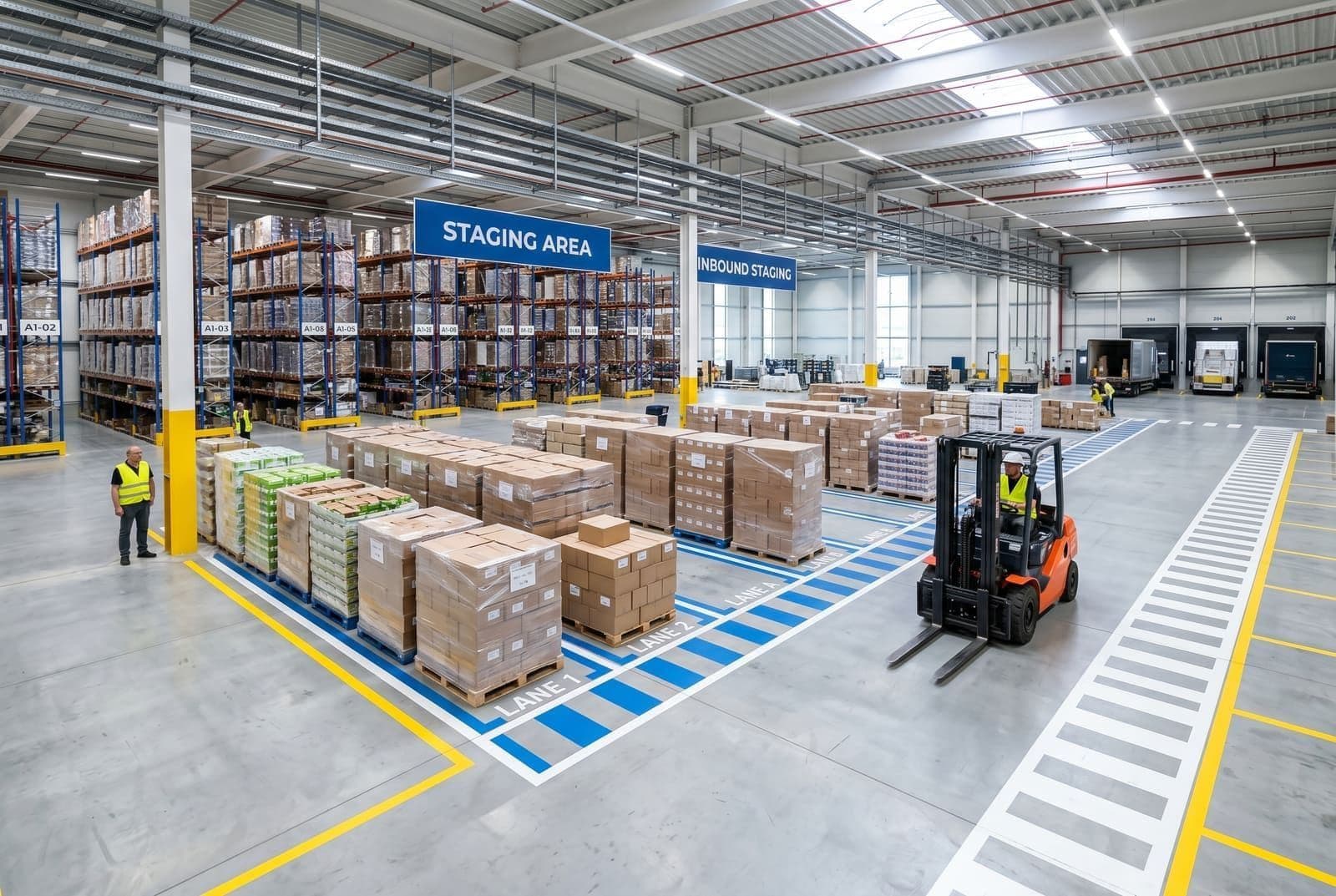
- Inbound staging for goods waiting for receiving, inspection, or system confirmation
- Outbound staging for picked orders waiting for load assignment or trailer departure
- Returns staging for product waiting on triage or disposition
- Exception staging for damaged, unidentified, or held inventory
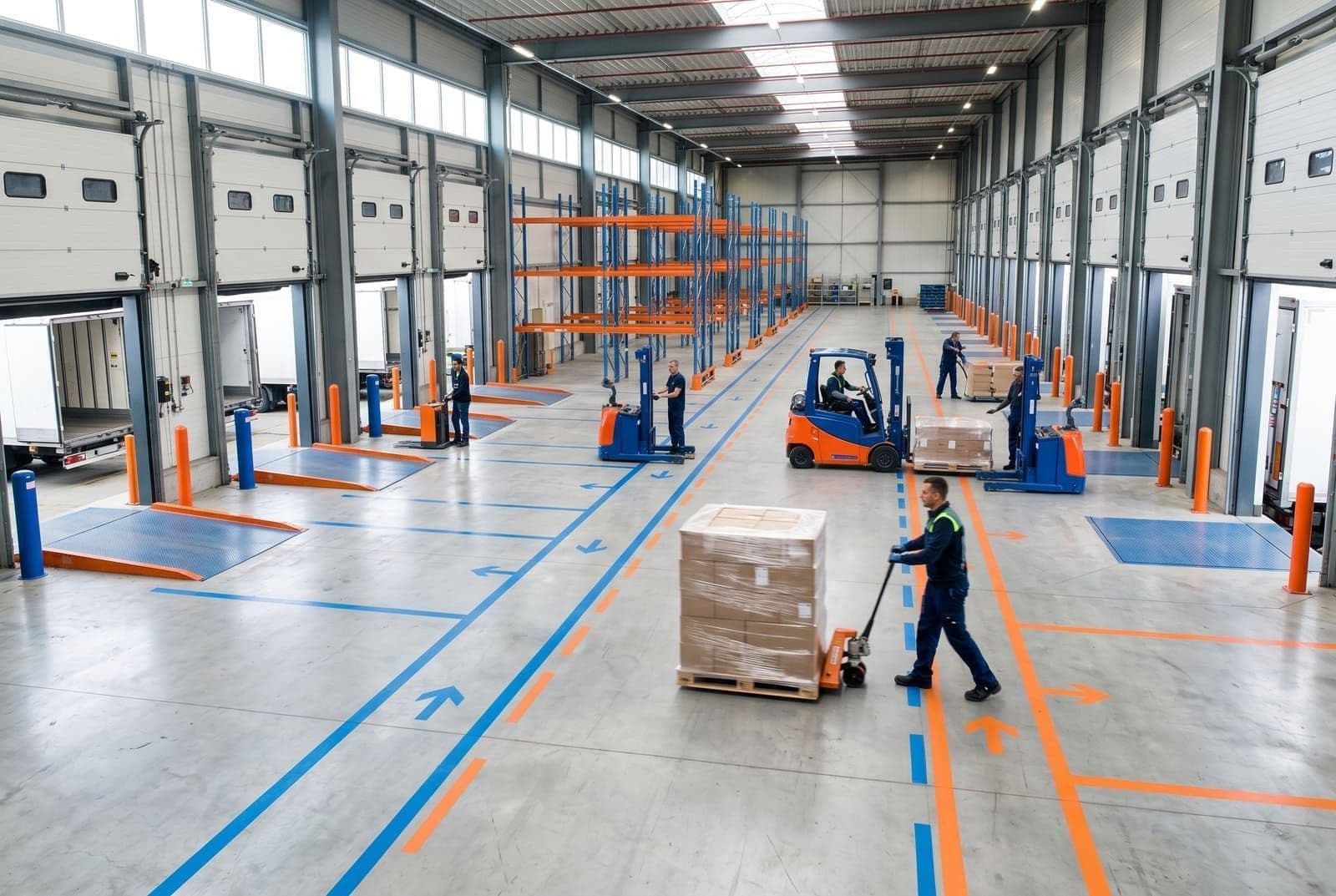
This does not require fancy software first. Even simple floor markings, visible signs, and lane ownership can reduce confusion fast.
Set dwell-time limits and treat violations like real problems
If there is no time expectation, staging always grows.
Every staging zone should have a dwell-time rule tied to its purpose. For example:
- inbound staging: less than 4 hours
- outbound staging: less than 2 hours before scheduled load time
- returns staging: reviewed within the same shift or within 24 hours, depending on volume
- exception staging: escalated after a defined hold window
The exact targets depend on your operation, but the principle does not change. Freight should not sit in staging indefinitely just because there is space available.
This is the same logic behind improving dock-to-stock time. The longer work waits between steps, the more congestion and re-handling you create.
Limit work in process instead of letting staging absorb everything
A staging zone needs a visible capacity limit.
Without one, teams treat open floor as free insurance. Then the area fills up until travel paths shrink, picking gets blocked, and forklift moves become slower and less safe.
A practical rule is to define:
- maximum pallet positions per lane
- maximum trailers or orders per outbound zone
- overflow escalation rules when the zone reaches 80 to 90 percent of capacity
- who must respond when the limit is hit
This forces upstream and downstream teams to solve the actual constraint instead of hiding it in staging.
If inbound staging is always full, the answer may be receiving cadence, inspection labor, or putaway discipline, not another painted square on the floor.
Design staging around the next move, not the last one
A lot of staging layouts are built around where freight came from. They should be built around where freight needs to go next.
For inbound staging, that means grouping freight based on the downstream decision:
- inspect now
- verify documentation
- cross-dock
- put away by zone
- hold for exception review
For outbound staging, it usually means grouping by:
- carrier or route
- departure window
- trailer or door assignment
- loading sequence
- special handling requirements
That reduces touches because operators do not have to keep re-sorting the same freight every time the next team gets involved.
If your outbound floor struggles with timing and congestion, this also pairs closely with stronger wave planning. Releasing work without staging capacity is just moving the bottleneck downstream.
Track the staging KPIs that reveal congestion early
Most warehouses notice staging problems only when the area already looks bad.
That is too late.
Track a short list of staging-specific metrics every week:
- Average dwell time by staging zone
- Percent of freight exceeding dwell-time targets
- Staging occupancy rate by hour or shift
- Blocked putaway or loading events caused by staging congestion
- Re-handles per pallet or per order
Those numbers make it easier to spot whether the real issue is labor timing, wave release discipline, dock scheduling, or poor physical layout.
Data quality matters more than most teams expect
Staging gets messy faster when the operation is planning with bad assumptions.
If freight dimensions are inaccurate, lane assignments get sloppy. If pallet footprint or carton size is guessed, teams underestimate how much floor space a wave or receipt will actually consume. If system status is delayed, freight sits in staging because nobody is confident it can move.
That is why staging performance is partly a data problem.
Reliable dimensions can improve:
- lane sizing
- temporary capacity planning
- trailer and route preparation
- exception identification
- downstream putaway and load sequencing
For carton-heavy flows, Wilkins Parcel Dimensioner can help capture cleaner shipment data earlier. For pallet and freight workflows, Wilkins Pallet Dimensioner is usually the more relevant fit.
Common warehouse staging mistakes to fix first
Treating staging as cheap storage
Temporary space turns into permanent clutter surprisingly fast. If product routinely stays in staging beyond its intended window, the process is broken.
Mixing normal flow with exception flow
Damaged freight, unidentified goods, and standard receipts should not compete for the same floor and labor.
Releasing work without checking staging capacity
This happens on both inbound and outbound sides. More work enters the zone even when the zone is already behind.
Ignoring re-handles
A pallet moved three times in staging is a signal. The space may be poorly organized, or the workflow order may be wrong.
A practical way to improve warehouse staging area management
If your staging area is constantly overloaded, start with a simple reset:
- Map each staging zone and name its exact purpose
- Set dwell-time targets by zone and publish them visibly
- Create capacity limits and define an escalation point before the zone is full
- Separate exception freight from normal operating flow
- Review the top causes of overstay each week and fix the upstream process, not just the symptom
That approach usually surfaces the real issue fast. Sometimes it is a receiving delay. Sometimes it is late putaway. Sometimes it is wave release, labor timing, or bad lane design. But until staging is controlled, those problems stay blurred together.
Final thought
A well-run warehouse staging area should make the next step easier, not become the place where work goes to wait.
When staging is disciplined, freight moves faster, docks stay clearer, and supervisors spend less time firefighting congestion. When staging is unmanaged, every nearby process gets slower.
Sizelabs helps warehouse teams capture the dimension and workflow data needed to make receiving, staging, and downstream decisions cleaner. If staging congestion is really a symptom of weak visibility and bad handoffs, explore why Sizelabs or see the full product lineup.